

Close Cookie Popup
We use cookies
We use cookies to understand how you use Scalign, so we can improve the experience. No advertising cookies — analytics only.
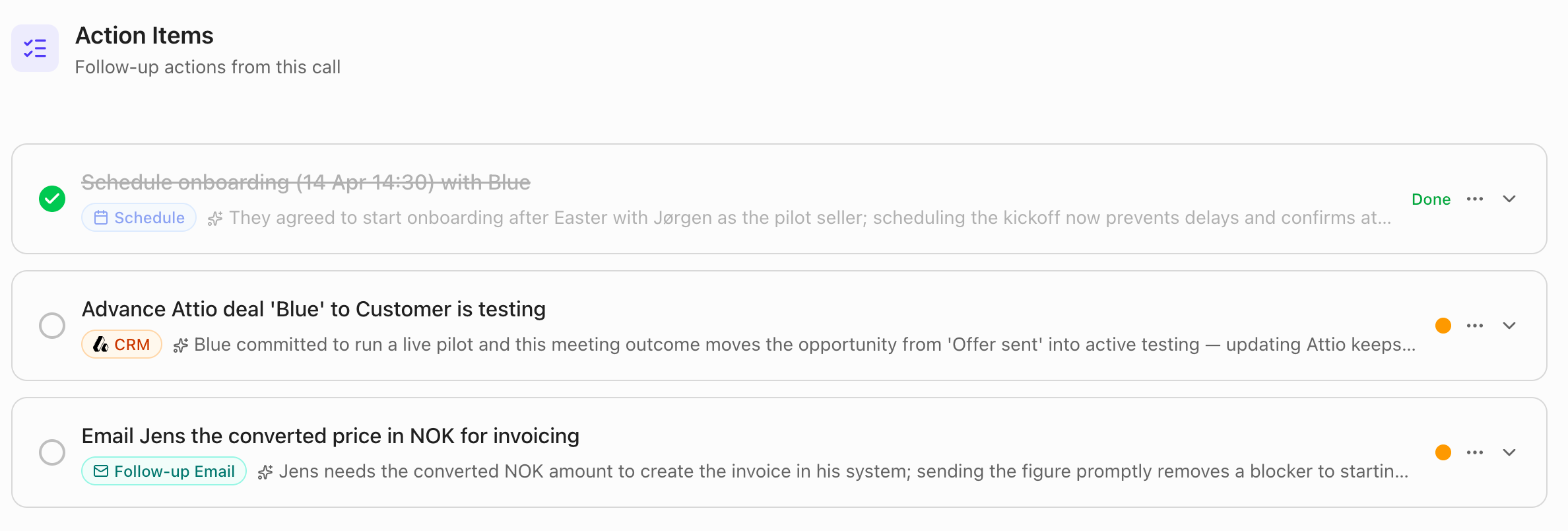
Agent-driven follow-ups from meeting summaries
Suggests and can execute follow-up emails, meeting invites, and deal updates so you can move deals forward faster from one place.
Note: Calendar, email, and CRM integrations must be connected in Settings for these actions to run.
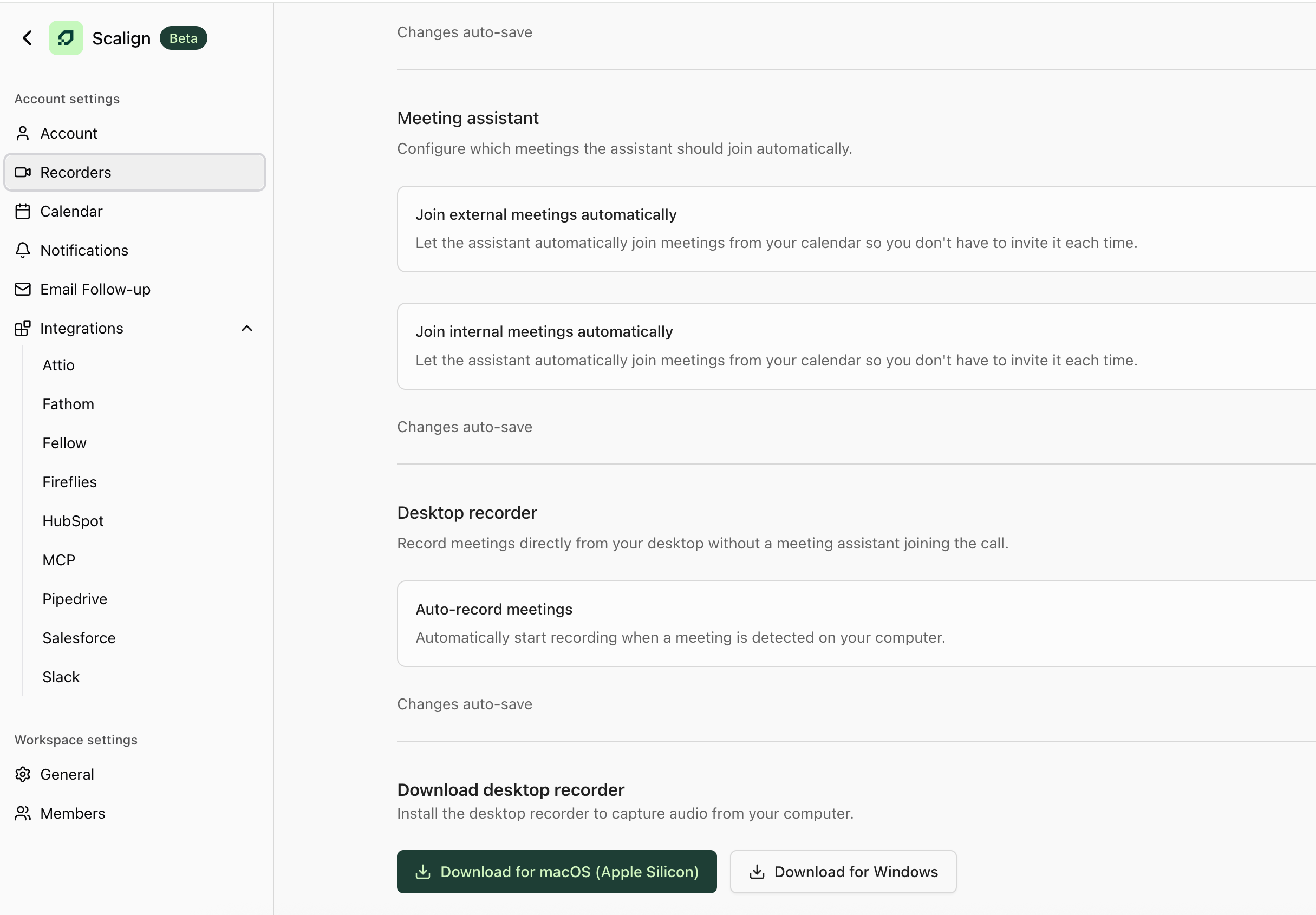
Desktop app (beta) ready to test
Record meetings directly from your desktop and control exactly when recordings start and stop.
Salesforce integration now available
Sync your CRM data and let the assistant work directly with Salesforce so everything stays aligned.
Improvements to the email draft panel
More flexible recipient selection and a smoother drafting experience for faster, more accurate follow-ups.
Private call recordings
Mark recordings as private so sensitive conversations only remain visible to you.

Direct quotes available through MCP
AI assistants like ChatGPT or Claude can pull direct quotes from your calls to give more grounded answers.
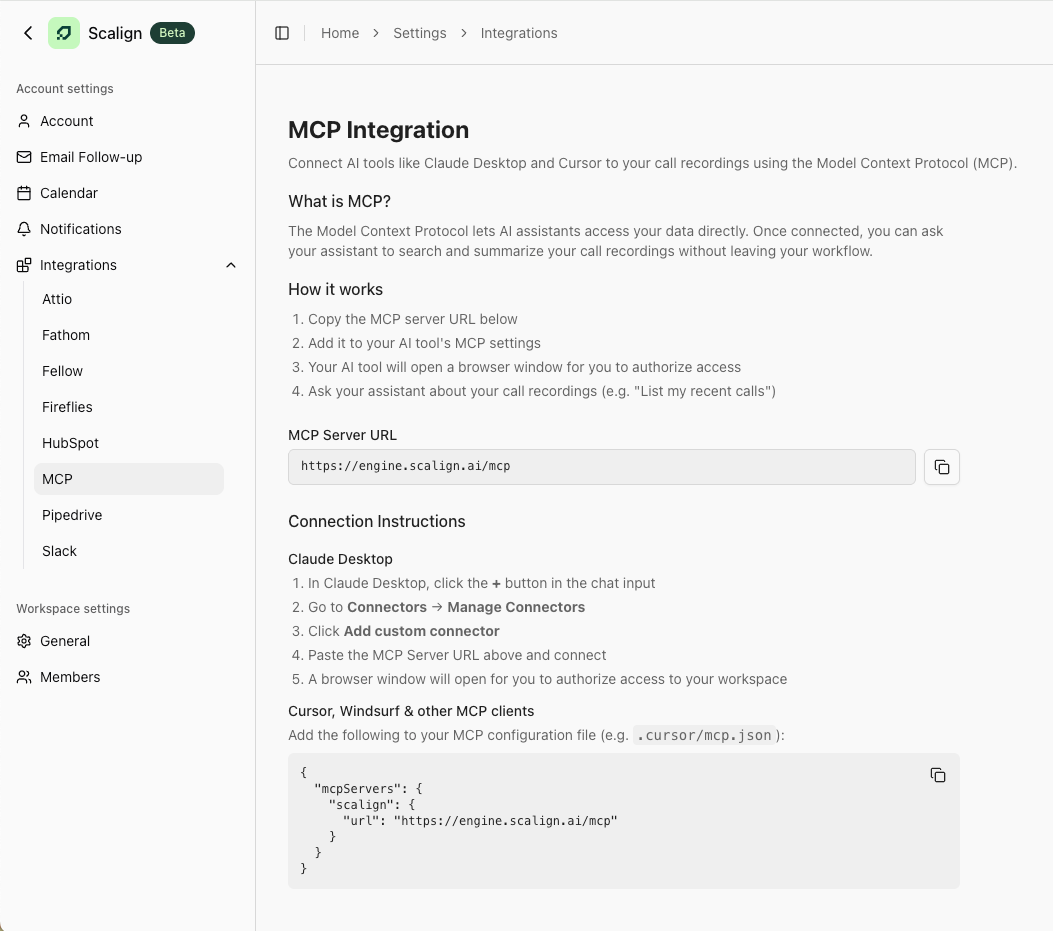
MCP integration available
Access your Scalign call insights and data directly from AI assistants like ChatGPT and Claude.
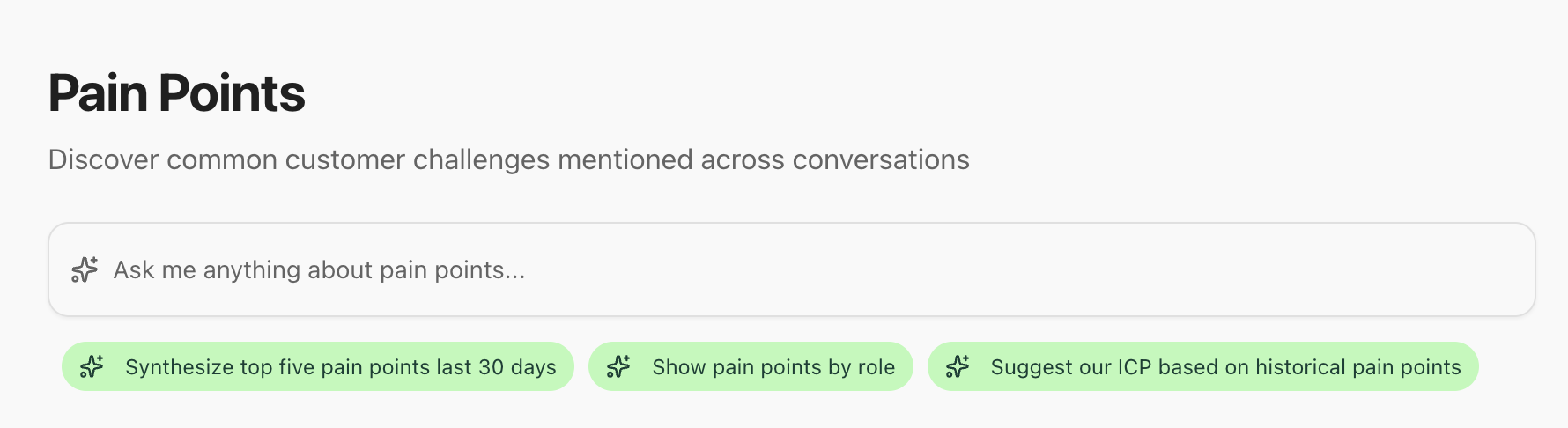
Product Feedback and Objections now grouped into clusters
Spot patterns and trends across conversations without manually analyzing individual calls.
Call recordings display deal stage and owner
Gives immediate pipeline context so you can see where the deal stands and who’s responsible at a glance.
.png)
Add your company logo to your meeting assistant
Creates a more professional, branded experience for internal and external meetings.
Workspace and account language preferences added
Customize the language of CRM notes, assistant chats, follow-ups, and meeting summaries to match your team and buyers.
Pipedrive integration
Sync contacts, deals, and notes automatically so your CRM and Scalign stay aligned without manual updates.
CRM deal stage is now visible on company cards
See associated pipeline context instantly without digging into your CRM.
Draft follow-up emails from the assistant
Generate context-aware follow-ups from your calls so you can respond faster and stay consistent.
Smarter assistant queries
Filter by date and pull direct quotes to quickly find specific moments in past conversations.
CRM tools available in the assistant
Look up deals, update values, or find contacts directly in Scalign, with approval required before any CRM updates so you stay in control.
%20(1).png)
Product feedback in Insights
Your calls now automatically surface product-related feedback. Spot patterns, understand priorities, and turn customer conversations into something your team can use.
More control and visibility over the meeting assistant
Choose when the assistant joins your meetings and see its live status at a glance.
%20(1).png)
Onboarding checklist to guide setup
Hit the ground running with a guided setup checklist that makes sure every key step gets covered with faster time to value, fewer things slipping through the cracks.
Redesigned call recordings page
Makes it easier to browse and revisit past conversations with a cleaner layout and smooth infinite scrolling.
More precise filtering in assistant answers
Sharper, more targeted insights so the answers you get back are actually the answers you were looking for.
Performance and reliability improvements
Faster queries, tighter security, and a more stable platform. The kind of improvements you'll feel before you even notice them.
Slack integration is now available
Get notified in Slack after meetings so insights don’t get missed.
Agents added to each Insights page
Helps you explore insights more deeply without leaving your workflow.
Meeting summaries are now sent via email
Ensures you have a clear recap after each meeting, even if you don’t return to Scalign right away.
Likely pain points and objections are now shown in meeting prep
Helps you prepare for buyer conversations based on previous calls and similar buyers.
Added a “relevance” label to likely pain point and objection percentages
Clarifies how the numbers are calculated and what they represent.
Workspace changes are now auto-saved, with a clear warning if you go offline
Reduces the risk of losing work and gives confidence when connectivity drops.
Workspaces now support multiple domains
Makes it easier to manage complex org setups without workarounds.
Improved assistant instructions and response formatting
Results in clearer, more consistent insights that are easier to scan and use.
The assistant adapts its recommendations based on where you are in the app
So suggestions stay relevant to the task you’re working on.
Initial Fellow integration is live
Import transcripts from Fellow to reduce manual setup.
Insights can be marked as irrelevant or incorrect
Ensures buyer analysis stays accurate and focused on real feedback.
%20(1).png)
Assistant activity is visible during queries to clarify how insights are generated
Helps you understand where insights come from and trust what you’re seeing.
Ask the assistant custom questions directly in meeting prep
Lets you prep around what matters most for this meeting and buyer.
Assistant accuracy, consistency, and context awareness have been improved
Delivers more reliable, relevant insights.
The current time is now indicated with a line in the calendar view
Makes it easier to orient yourself and manage back-to-back meetings.
Upcoming meeting times are displayed on the homepage
Makes it easier to spot upcoming follow-ups and stay on top of next conversations.